Everything a great tutor does, and a few things they can't.
Four capabilities turn a screen into someone sitting beside you: watching your work, drawing as they explain, refusing to just hand over the answer, and adjusting to what you just did.
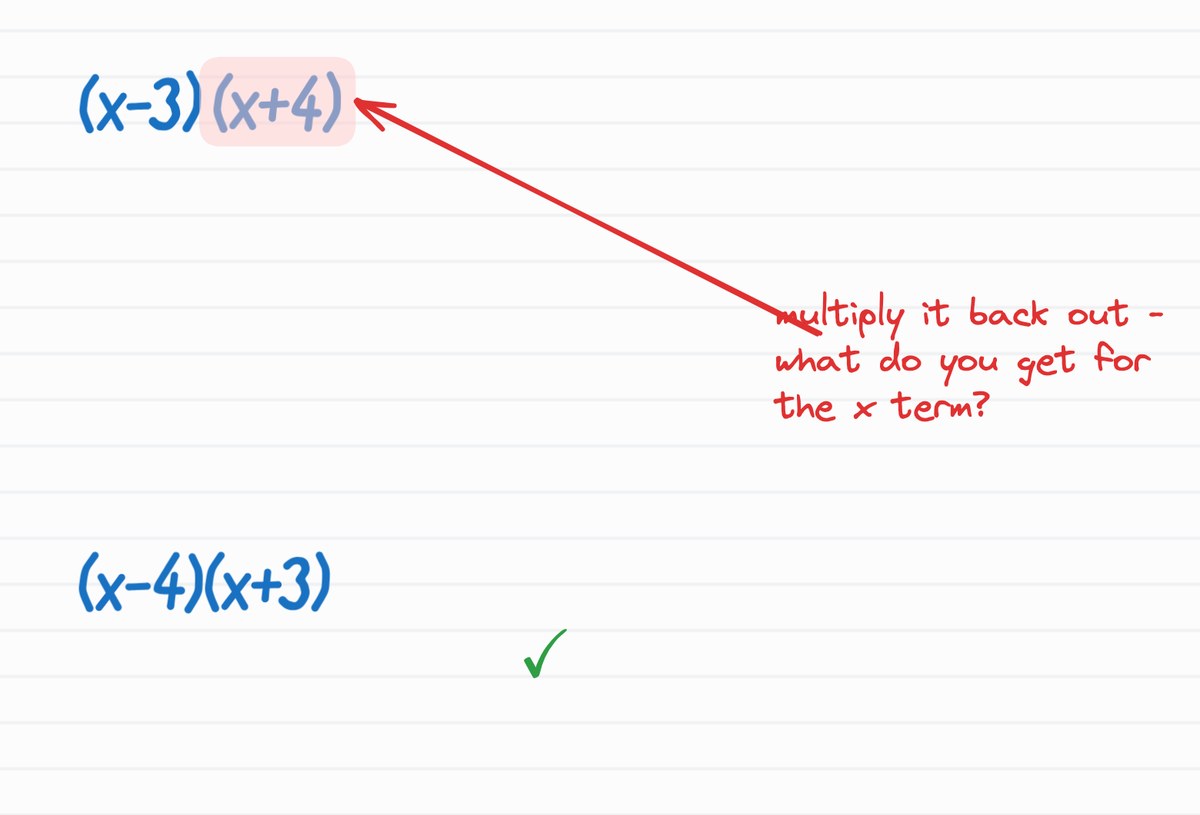
It sees your work
SmartWit watches your whiteboard and points an arrow at the slip the moment it happens, the way a tutor leaning over your shoulder would.
Real-time vision on every stroke
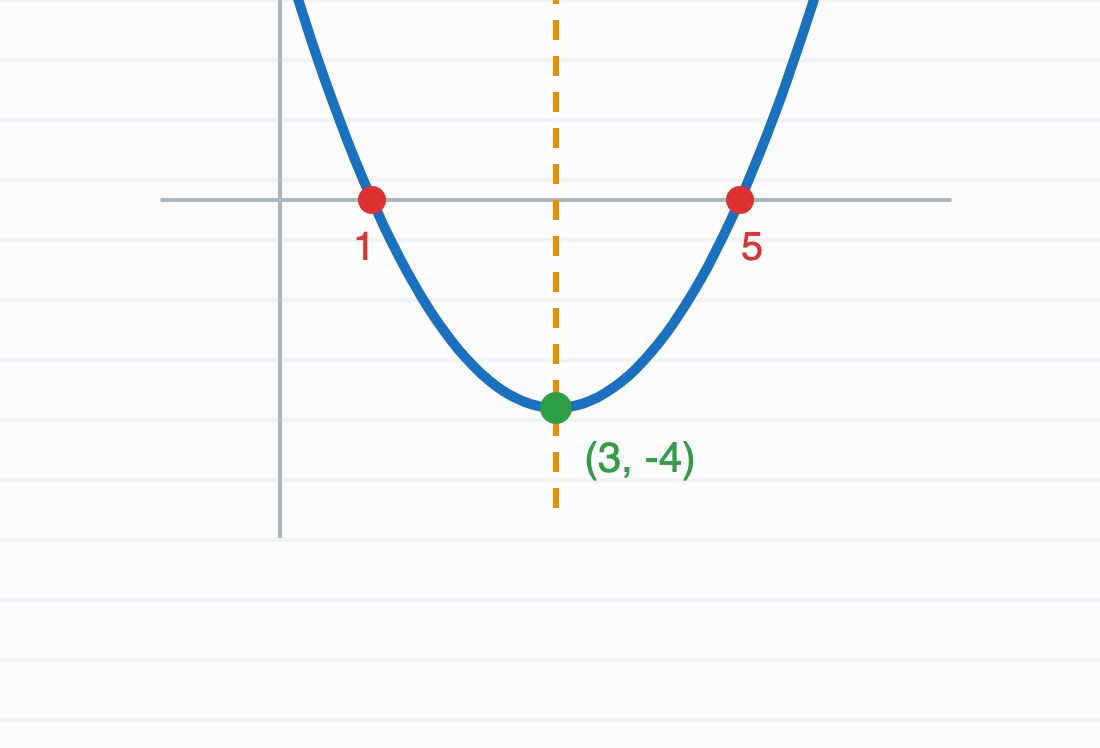
It draws as it speaks
Graphs, equations and shapes appear in step with the tutor's voice, so an explanation is something you watch unfold rather than a wall of text you have to decode alone.
Voice and ink, in step
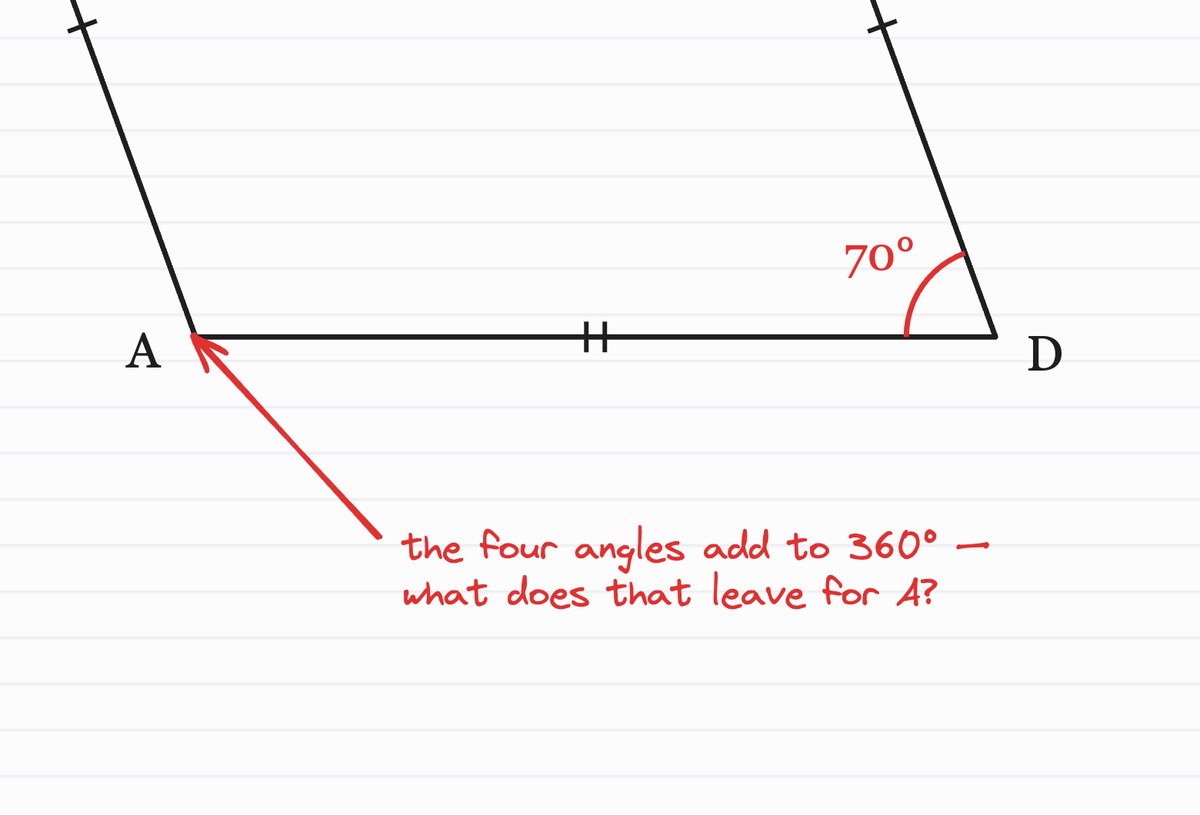
It asks, never tells
Guided questions lead you to the answer yourself, which is the part an answer key skips.
Socratic by design
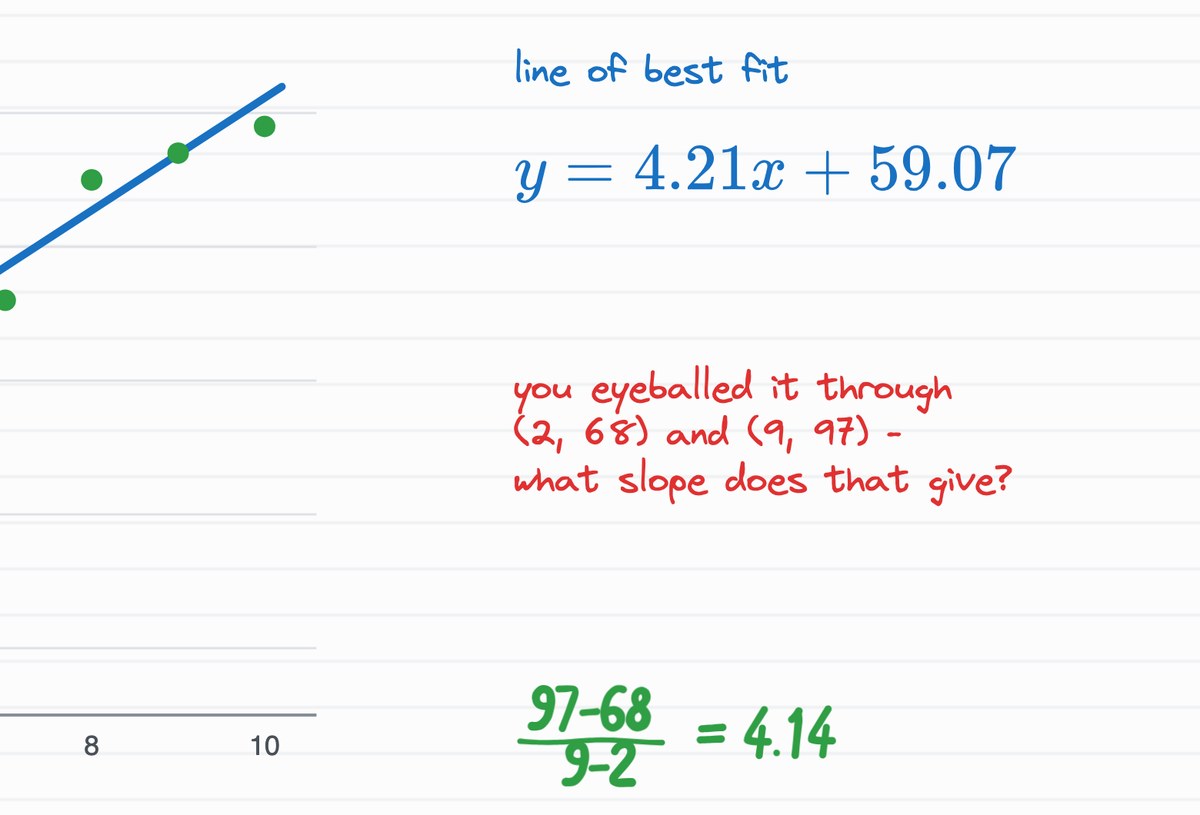
It adapts to you
Every answer is scored. Struggling on a step gets you more scaffolding; getting it cleanly moves you on. It works from what you just did rather than from a fixed script.
Recalibrates after every answer
“A worksheet can't see your mistake. A video can't hear your question. SmartWit does both, then waits for you to get it.”
Also in the box
Replay & clips
Rewatch any session; clip a moment to share.
Progress dashboard
Watch mastery climb, topic by topic.
Streaks, XP & badges
Study daily to build a streak and earn badges.
Web & mobile
On your laptop, phone, or tablet.
A session, not a search box.
Camera apps, chatbots and video lessons are all useful. They are also a different kind of thing, and here is the difference stated as plainly as we can.
How you ask
- Camera app
- Photo of the problem
- Chatbot
- Type a prompt
- Video
- You pick a video
- SmartWit
- Say it out loud, or write it on the board
What comes back
- Camera app
- The answer, then a paywall for steps
- Chatbot
- A wall of text
- Video
- A recorded explanation
- SmartWit
- A voice, and drawings on a shared whiteboard
Your handwriting
- Camera app
- Scanned once
- Chatbot
- Can't see it
- Video
- Can't see it
- SmartWit
- Watched as you work, step by step
The wrong step
- Camera app
- Never seen
- Chatbot
- Never seen
- Video
- Never seen
- SmartWit
- Pointed at, and you fix it yourself
What it's teaching
- Camera app
- This one problem
- Chatbot
- This one prompt
- Video
- One video's worth
- SmartWit
- The course, with mastery tracked topic by topic
Ready to learn out loud?
Talk and draw your way unstuck, with a tutor that draws right back.